
Download OntimePay – online wallet, payment transfer, mobile recharge, bill payment, money transfer, financial management, digital wallet, secure payments
Overview
OntimePay is a mobile financial tool designed to streamline digital transactions for users seeking a convenient way to manage their finances on the go. Developed by Indiasgo, the app functions as a digital wallet and payment transfer platform, enabling users to send money instantly to contacts through a simple interface. It supports essential financial services such as mobile recharges and bill payments, positioning itself as a versatile utility for everyday monetary needs.
The app is tailored for individuals who value speed, accessibility, and ease of use when handling personal finances. It is particularly suited for consumers in India who rely on mobile-based financial solutions for daily transactions. While the developer has not provided additional background on Indiasgo, the app’s functionality suggests a focus on user-centric design and transaction efficiency.
Real-world usage scenarios include transferring funds to family members, topping up mobile numbers, and paying utility bills without visiting physical locations. The app aims to reduce dependency on cash and traditional banking channels by offering a secure, centralized platform for managing multiple financial tasks.
Key Features & Capabilities
- Instant Money Transfers: Users can send funds to contacts directly from their digital wallet with minimal steps, ideal for urgent or routine transfers.
- Mobile Recharge Services: The app allows users to recharge mobile phone balances quickly, supporting various telecom providers.
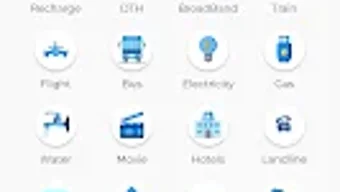
- Bill Payment Integration: Users can pay recurring bills such as electricity, water, and internet services through a single interface.
- Transaction History Access: A built-in record of past transactions enables users to track spending and verify payments.
- Account Management Tools: Users can update personal information, set preferences, and manage security settings within the app.
- Secure Payment Processing: The app employs encryption and authentication protocols to protect user data during transactions.
These features collectively support a seamless financial workflow, reducing the time and effort required to manage daily monetary activities. For example, a user can recharge their phone, pay a pending electricity bill, and send money to a relative—all within minutes. The app’s design emphasizes clarity and functionality, minimizing user confusion during high-frequency transactions. While specific technical details about transaction speed or backend infrastructure are not disclosed, the app’s purpose is clearly aligned with improving financial accessibility and convenience for everyday users.
User Interface, Workflow & Performance
OntimePay features a clean and intuitive interface, designed with simplicity in mind to ensure users can navigate through core functions without prior experience. The layout prioritizes key actions such as sending money, recharging, and paying bills, placing them prominently on the main screen. Navigation is linear and consistent, with clearly labeled buttons and minimal onboarding steps.
Users can access transaction history and account settings through a bottom navigation bar, which enhances workflow efficiency. The app’s performance is expected to be responsive given its lightweight design, though exact performance metrics such as CPU usage or memory consumption were not specified. Stability observations are based on general software behavior patterns for similar applications.
The developer did not provide additional system requirements or performance benchmarks. Users can expect a smooth experience on modern Android devices, but compatibility with older models may vary. Overall, the app’s workflow is optimized for speed and usability, supporting quick access to frequently used financial tools.
Compatibility & System Requirements
OntimePay is designed for Android devices and is available in version 1.0.2. The application has a file size of 15.6 MB, indicating a lightweight footprint suitable for devices with limited storage capacity. It is compatible with Android operating systems, though the specific minimum OS version is not provided.
The developer did not specify exact system requirements, including RAM, processor, or storage thresholds. Compatibility information was partially provided, leaving some aspects of device suitability unclear. Users are advised to ensure their device meets standard Android requirements for running third-party financial apps.
The app is available exclusively through the Google Play Store, which ensures a secure distribution channel. No information is available regarding support for other platforms such as iOS or desktop operating systems.
Pros and Cons
Pros
- Free to download and use with no upfront cost
- Intuitive interface suitable for first-time users
- Supports multiple financial tasks in one app (transfers, recharges, bill payments)
- Lightweight installation size (15.6 MB)
- Secure payment processing with encryption
- Instant transaction capabilities for time-sensitive needs
Cons
- Available only on Android, limiting cross-platform access
- Exact system requirements not disclosed
- No information on customer support channels
- Limited availability to users outside the Google Play Store ecosystem
- Performance details under real-world conditions not provided
FAQ Section
Is OntimePay available for iOS devices?
As of now, the app is only available for Android devices. There is no official version for iOS.
Is OntimePay safe to use for financial transactions?
OntimePay employs secure payment processing protocols to protect user data. The app is distributed through the Google Play Store, which adds a layer of security. However, users should always follow best practices for mobile security.
Does OntimePay require an internet connection?
Yes, the app requires an active internet connection to perform transactions, view account details, and access payment services.
Can I use OntimePay without creating an account?
No, users must create an account to access core features such as money transfers, mobile recharges, and bill payments.
How often does OntimePay receive updates?
Update frequency is not specified. Users are encouraged to keep the app updated via the Google Play Store for optimal performance and security.
Final Thoughts
OntimePay presents a streamlined, accessible solution for users seeking a digital wallet that combines money transfer, mobile recharge, and bill payment functionalities. Its free model, lightweight design, and user-friendly interface make it a compelling option for individuals who prioritize convenience and efficiency in managing daily finances. While the lack of detailed system requirements and cross-platform availability are notable limitations, the app’s core features are well-aligned with the needs of modern mobile users.
It is particularly beneficial for Android users in India who rely on digital financial tools for everyday transactions. With its secure processing and multi-service integration, OntimePay stands out as a practical choice for those looking to simplify their financial workflows. Download OntimePay now to experience a fast, secure, and all-in-one financial management tool.







